Telkom Indonesia
Pijar Sekolah Onboarding Wizard
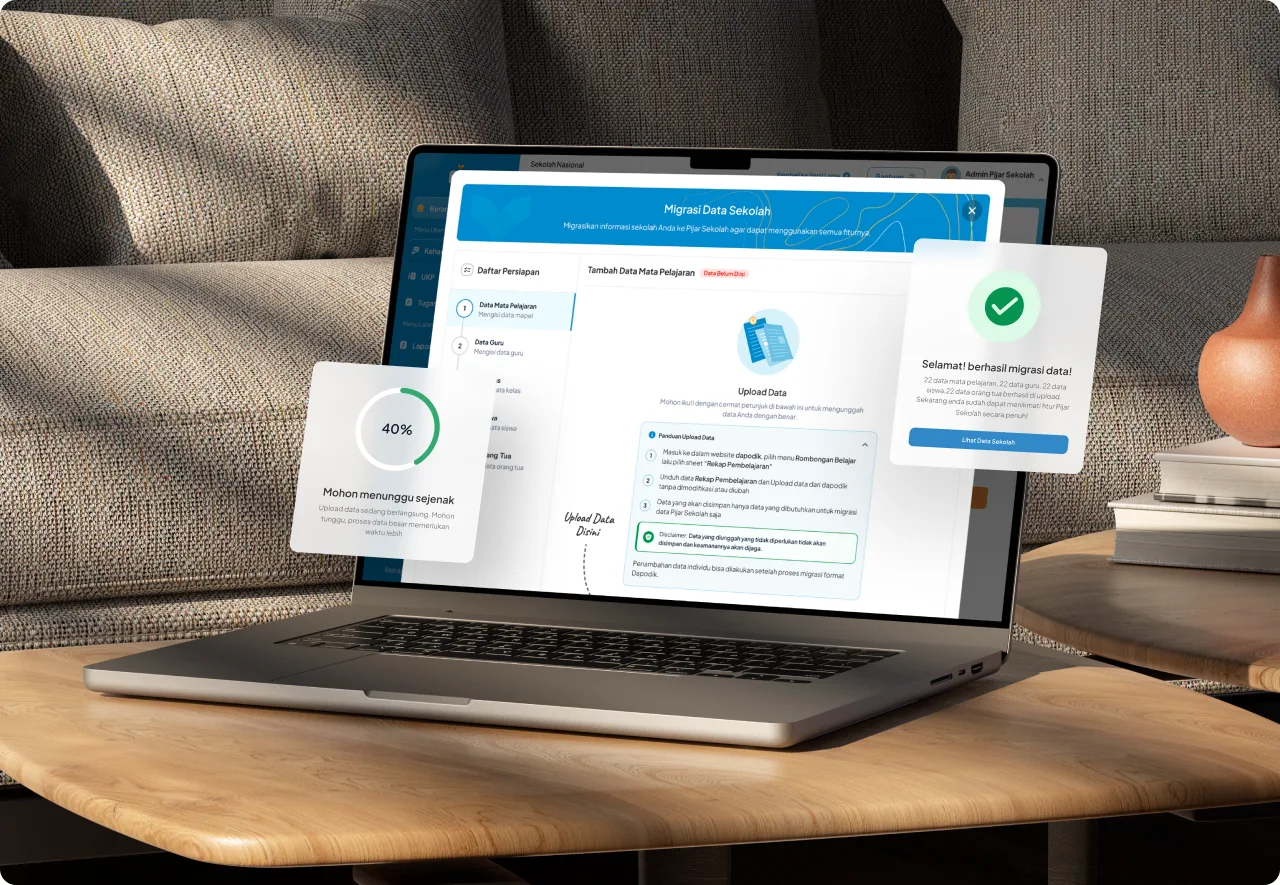
A wizard that migrates school data from the Kemendikbud Dapodik system, cutting setup from 2 weeks to 1-2 days.
- Company
- Telkom Indonesia
- Role
- Product Designer
- Timeline
- 1 month, 2 sprints
- Platform
- Web App
- Skills
- Product Design, Design Sprint, UX Research, User Flows
- Tools
- Figma, Google Analytics
Pijar Sekolah is an integrated digital learning platform that has played a key role in transforming the education landscape in Indonesia. With a strong vision and mission to advance education nationwide, Pijar Sekolah provides innovative solutions for schools, teachers, and students. Through thousands of engaging digital contents, including digital books, instructional videos, and virtual laboratories, the platform creates an effective and enjoyable learning environment for students. Additionally, Pijar Sekolah facilitates the implementation of Computer-Based Exams (CBE) with tools that support question creation, exam scheduling, exam supervision, and exam result checking.
Background
Based on the analysis results of the user data funnel for Pijar Sekolah, which shows a decrease in the number of users from Awareness → Acquisition → Activation.
The initial hypothesis that can be drawn is the ineffectiveness and inefficiency of the existing onboarding process at Pijar Sekolah. Currently, after users, especially school admins, have created an account and school portal, the operational team will conduct online training to inform the first steps needed to use Pijar Sekolah. However, due to the length of the scheduling process until the training implementation, the onboarding process is less effective. In fact, the school data migration process with the training can take up to 2 weeks per school.
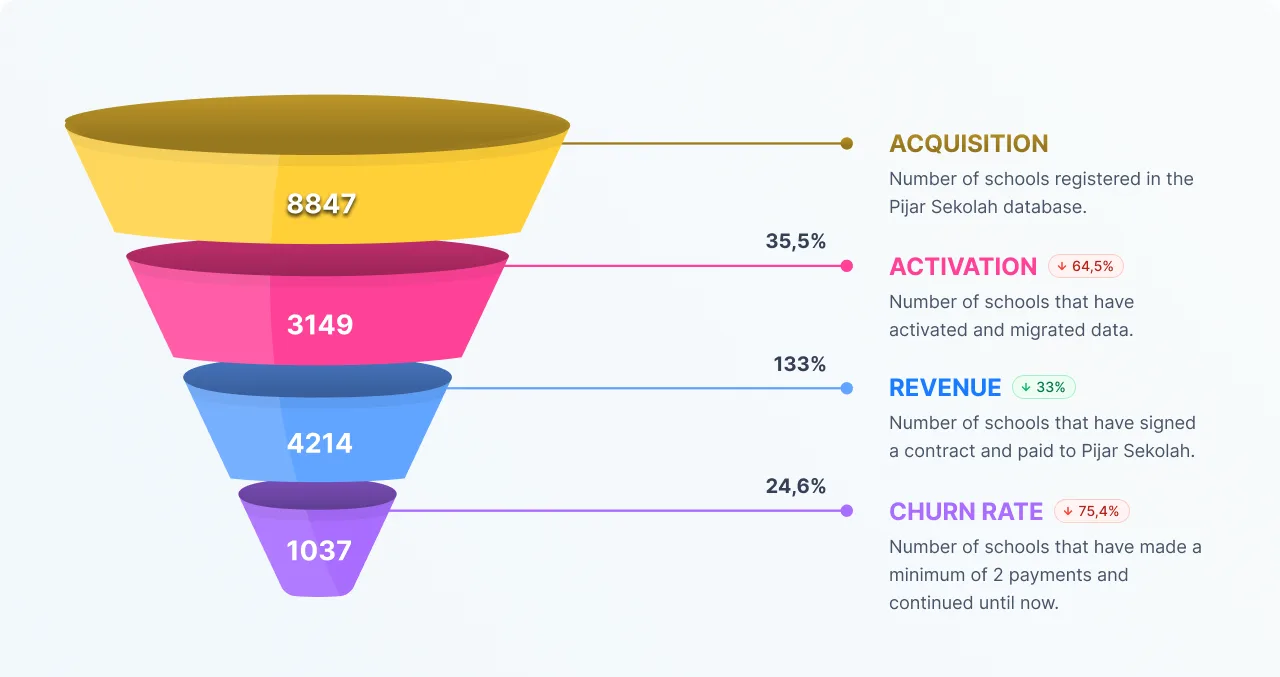
The existing onboarding
Currently, after users, especially school admins, have accounts and school portals, the operational team holds online Technical Guidance (BIMTEK) to explain the first steps of using Pijar Sekolah. However, the onboarding process is not very effective due to the long time between scheduling and conducting BIMTEK.

Pain Points
Here are some existing pain points that cause the activation process to be lengthy and inefficient:
- Users often lack sufficient information about the activation process.
- The activation process can sometimes be complex and time-consuming.
- Lack of adequate support if users encounter issues during activation.
- Different systems involved in the activation process often do not integrate well.
There is a need to improve the onboarding or activation process
To guide users through the steps they need to successfully use the Pijar Sekolah product. The expectation is that the Wizard process for Boarding will provide clear guidance, instructions, and relevant notifications to users. This is the background for initiating the design of this data migration onboarding wizard.
Design Process
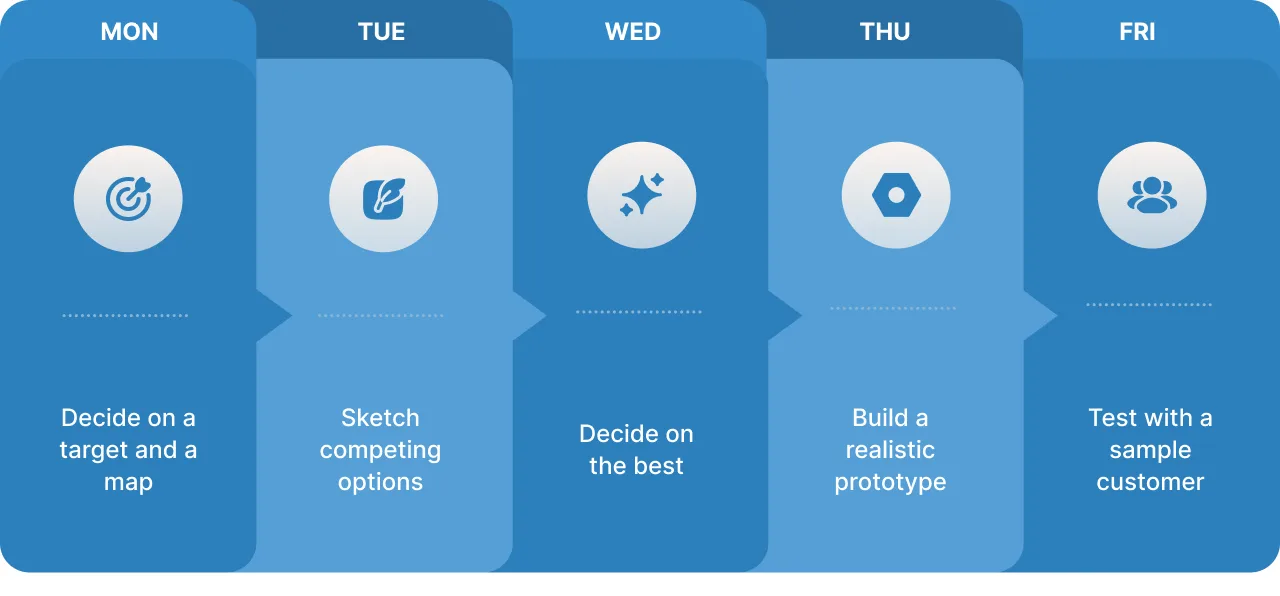
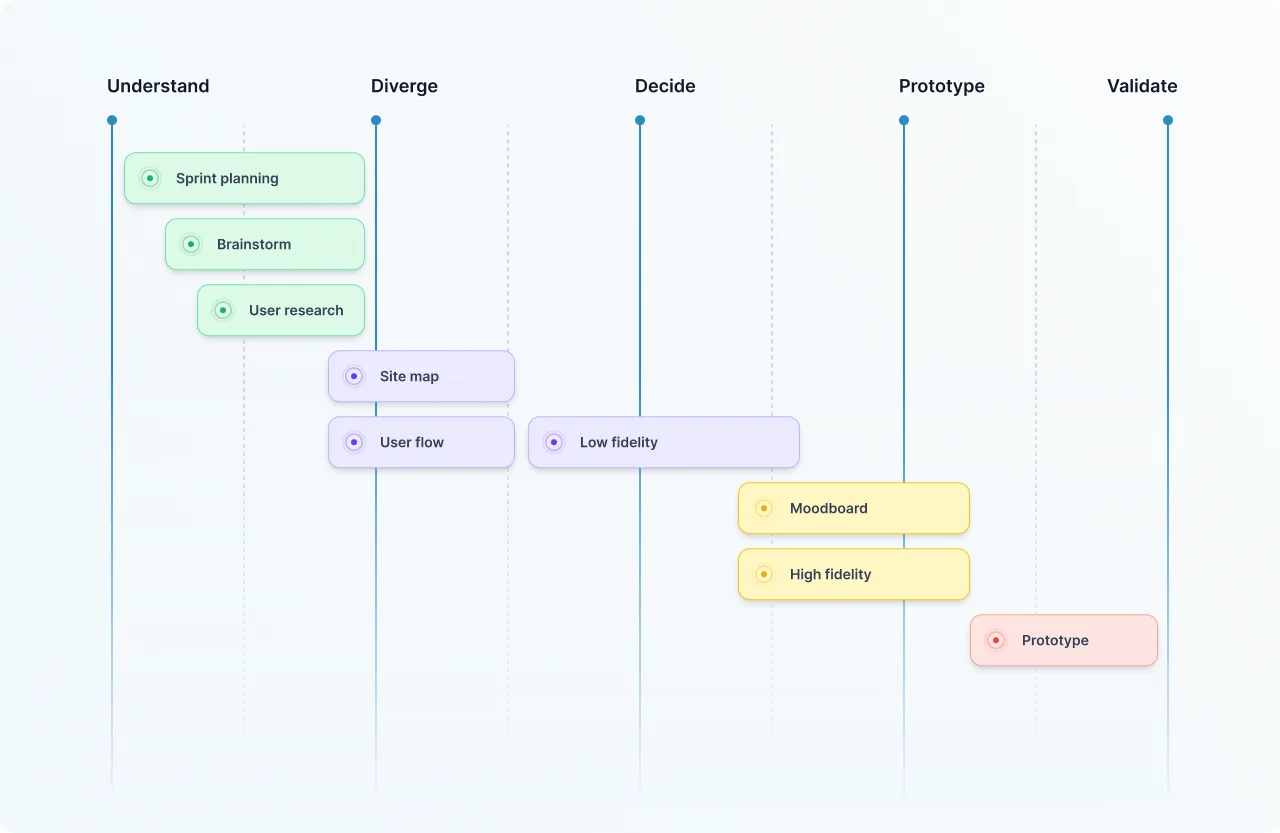
Design sprints are an important methodology in this project design. This structured process allows me to efficiently tackle complex challenges by condensing the design schedule into a focused and collaborative five-day sprint. Throughout the sprint, my cross-functional team and I immerse ourselves in understanding the problem, generating creative solutions, making informed decisions, quickly prototyping ideas, and testing them with real users.
Success Metrics
To measure the success of this initiative or feature, here are the goals, metrics, and ways to measure the success or effectiveness of this feature in the future.
- Goal: reducing the time taken for data migration processes. Metric: from 2 weeks to 1 day. How to measure: the “Wizard” event tracker or Elapsed Time on Google Analytics.
- Goal: increasing the number of activations and usage of Pijar Sekolah. Metric: school activation numbers up by 20%. How to measure: analyzing funnels using Google Analytics.
- Goal: increasing the number of schools performing data migration. Metric: 20 more schools. How to measure: analyzing funnels using Google Analytics.
User Research
User research is a comprehensive process to understand the needs, preferences, and behaviors of users related to a specific product or service.
Qualitative Research
The UX research team at Pijar Sekolah has conducted a series of research and interviews to understand the needs of school data migration. The main goal of this research is to find the fastest and most efficient way to transfer school data to the Pijar Sekolah platform.
One of the initiatives that emerged from this research is to leverage Dapodik data from the Ministry of Education and Culture. Dapodik (Education Core Data) is a database that contains various important school data needed for migration to Pijar Sekolah.
By utilizing Dapodik data, the process of migrating school data to Pijar Sekolah is expected to be faster and more efficient. Additionally, the use of Dapodik data will also help maintain the accuracy and validity of the migrated school data.
In-depth Interviews
The research team conducted in-depth research to understand the use of School Data (Dapodik) in schools, the results of downloading Dapodik data, and feedback related to the Data Migration feature design. This research aims to build features that meet school needs, improve user-friendliness, and address potential issues. The migration of data to Pijar Sekolah is expected to enhance data management efficiency, educational quality, and information access for all parties. The research team will continue to collaborate with the development team and conduct monitoring & evaluation to ensure the smoothness of the migration process.
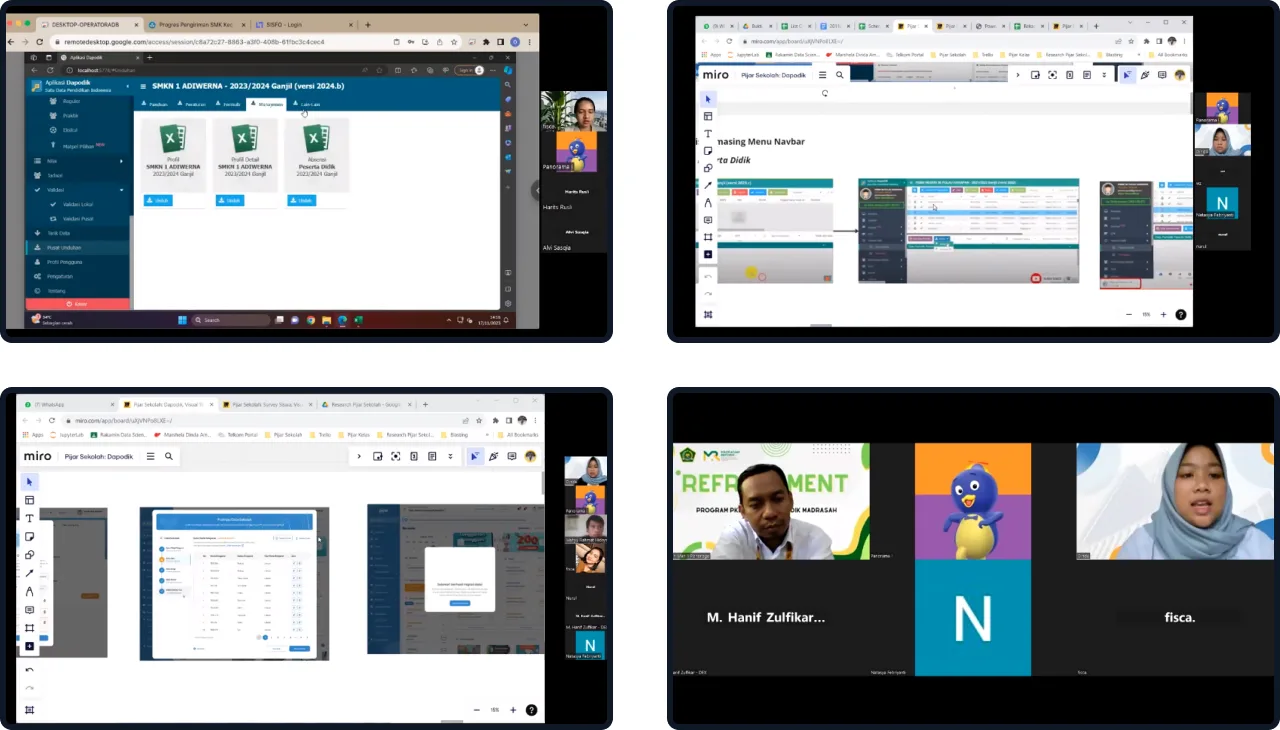
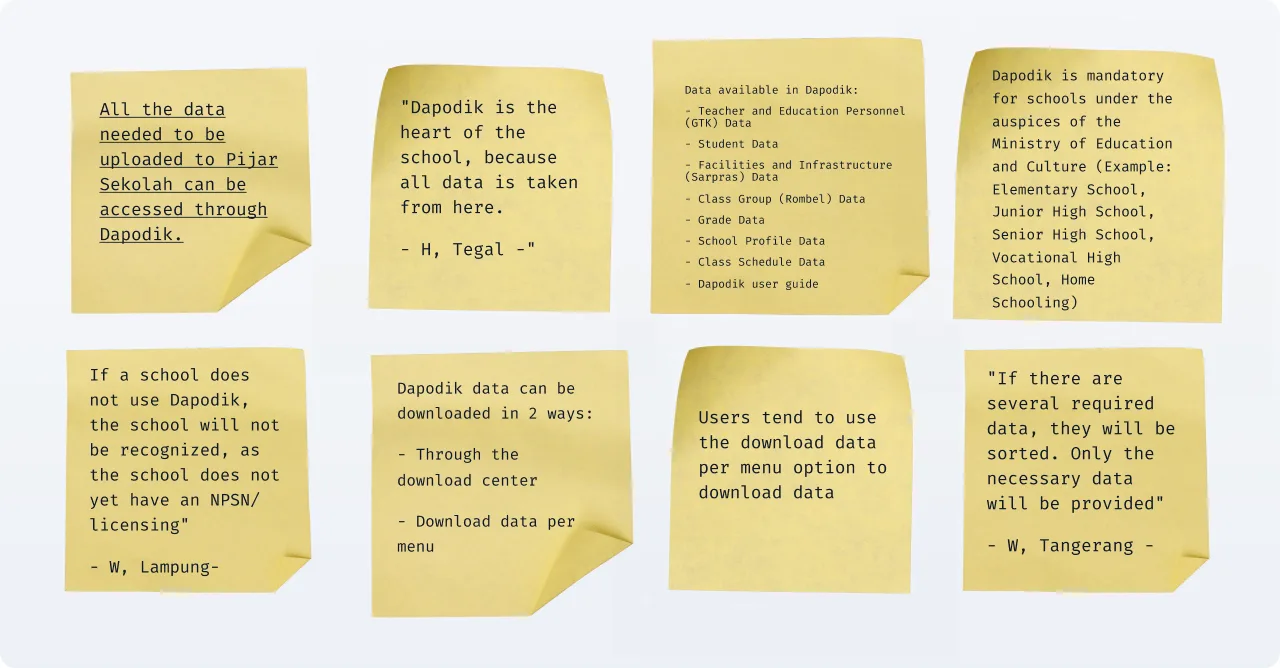
Key Findings
Based on the results of an in-depth review with users, migrating school data to Pijar Sekolah using Dapodik has proven to be an innovative solution that can help schools in the data migration process. The easy and fast migration process, thanks to the structured and standardized data in Dapodik, leads schools to an era of more efficient and accurate data management. A smooth transition with full support from the Pijar Sekolah team ensures smooth adaptation and maximizes the benefits of the Pijar Sekolah platform.
💡 Interesting Findings! Integration of API from Dapodik & EMIS
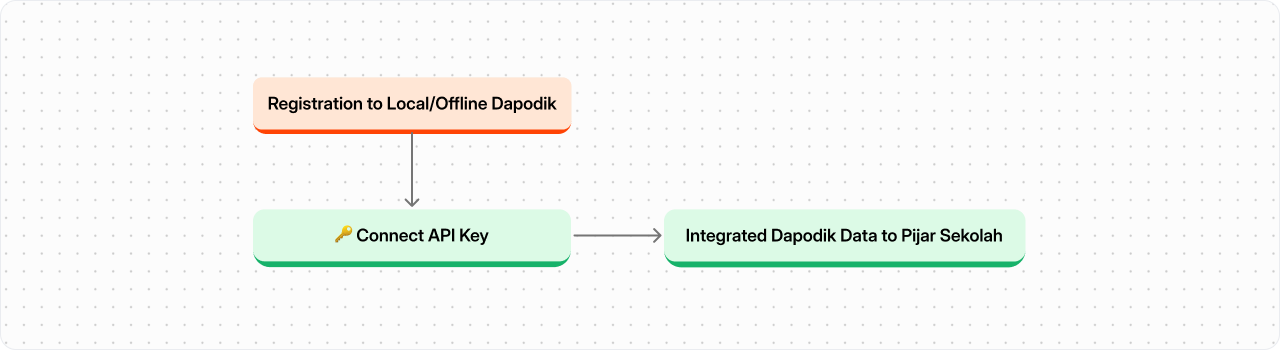
One of the users has tried and successfully completed the API integration process in Dapodik, which means there is a possibility that the API in Dapodik can be used for integration into Pijar Sekolah, making it very convenient for the migration and data integration process.
However, after further exploration, this approach turned out to have many challenges, especially in terms of data security regulations. Therefore, it is stated that this solution cannot be implemented yet.
Finally, we will use Dapodik data as documents to upload in the onboarding wizard process, as Dapodik contains all the necessary school data for the data migration process to Pijar Sekolah.
Initial Solutions
The Design Team has designed an easy-to-use school data migration flow guide in the form of a wizard. This wizard will clearly guide users step by step to migrate their school data to Pijar Sekolah, whether using downloaded data or data from Dapodik.
The data migration wizard from the Design Team will simplify and speed up the process of migrating school data to Pijar Sekolah. Users can migrate data independently and without confusion.

User Flows
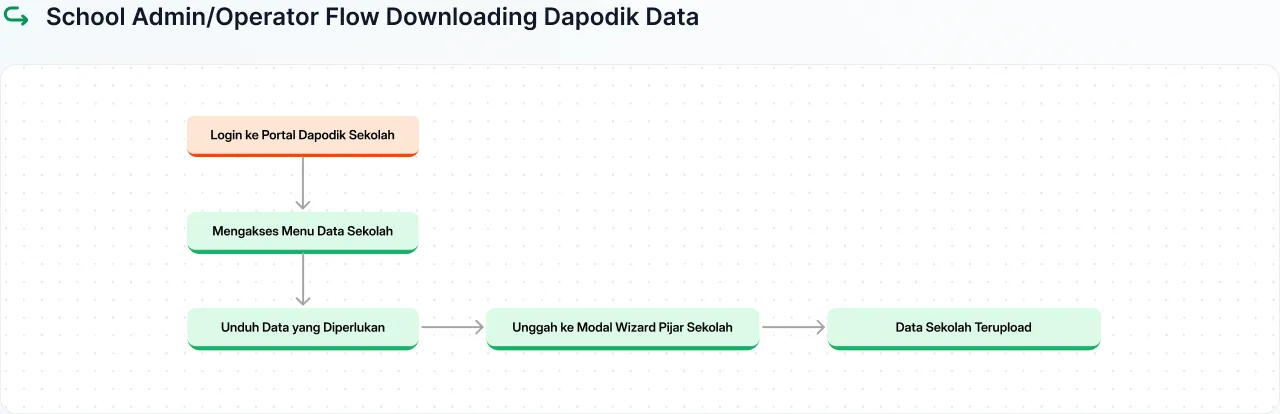
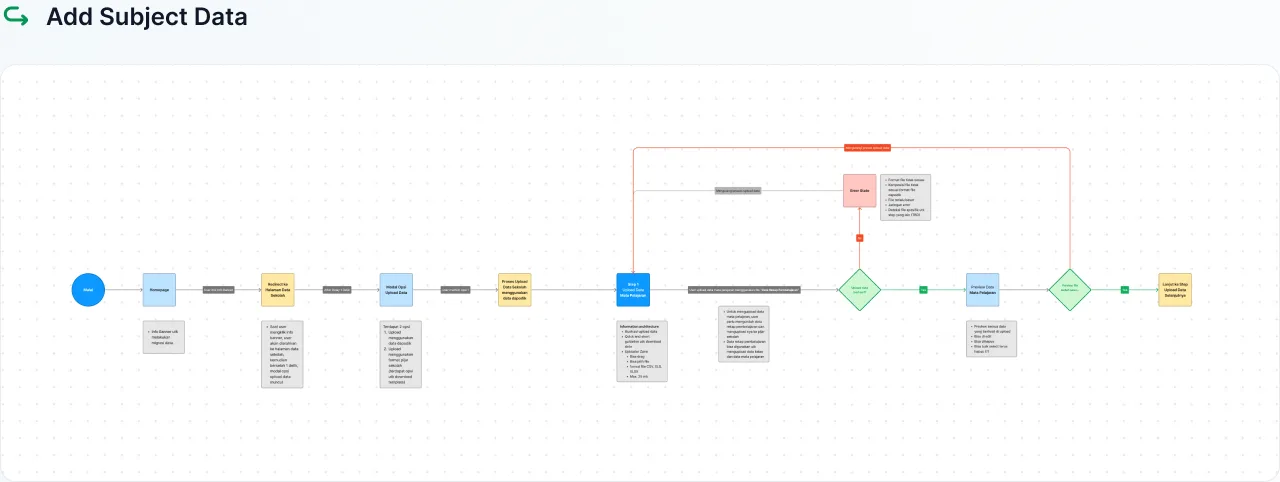
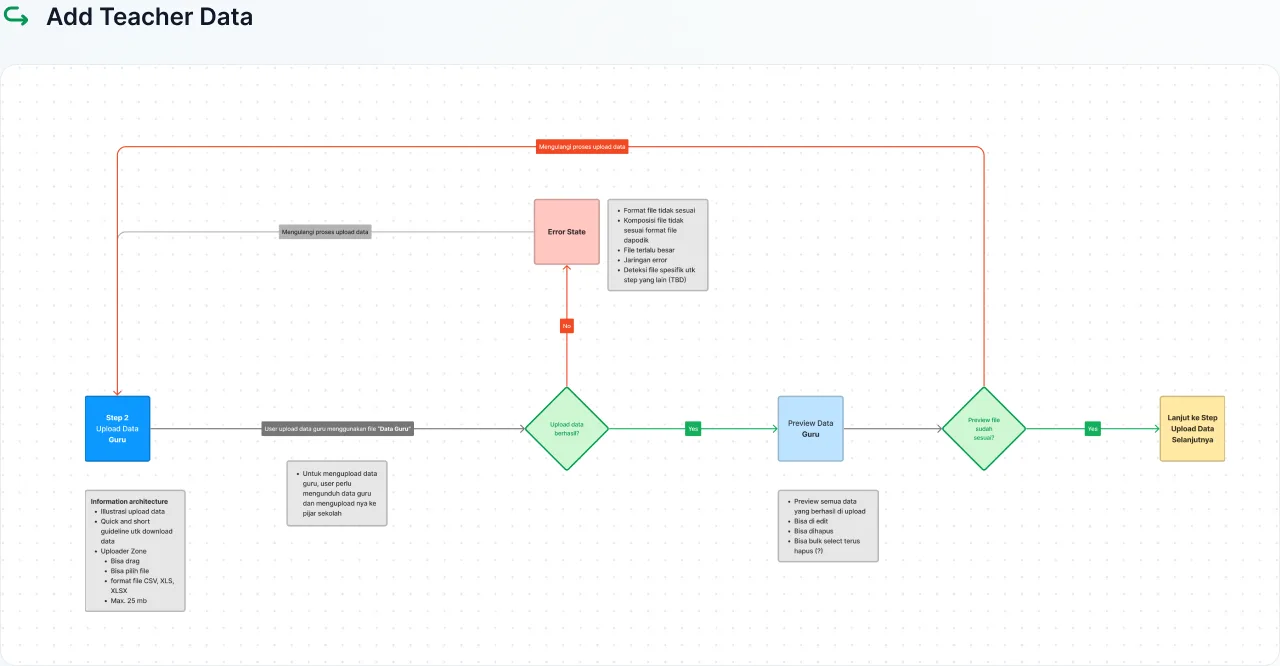
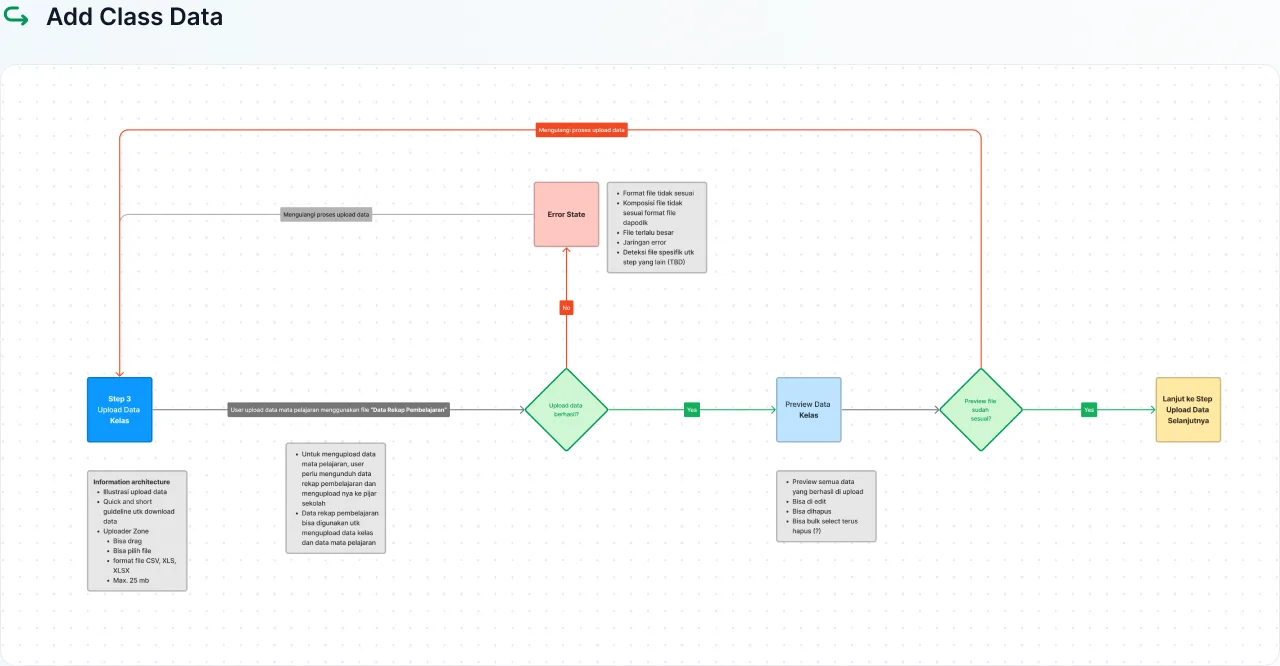
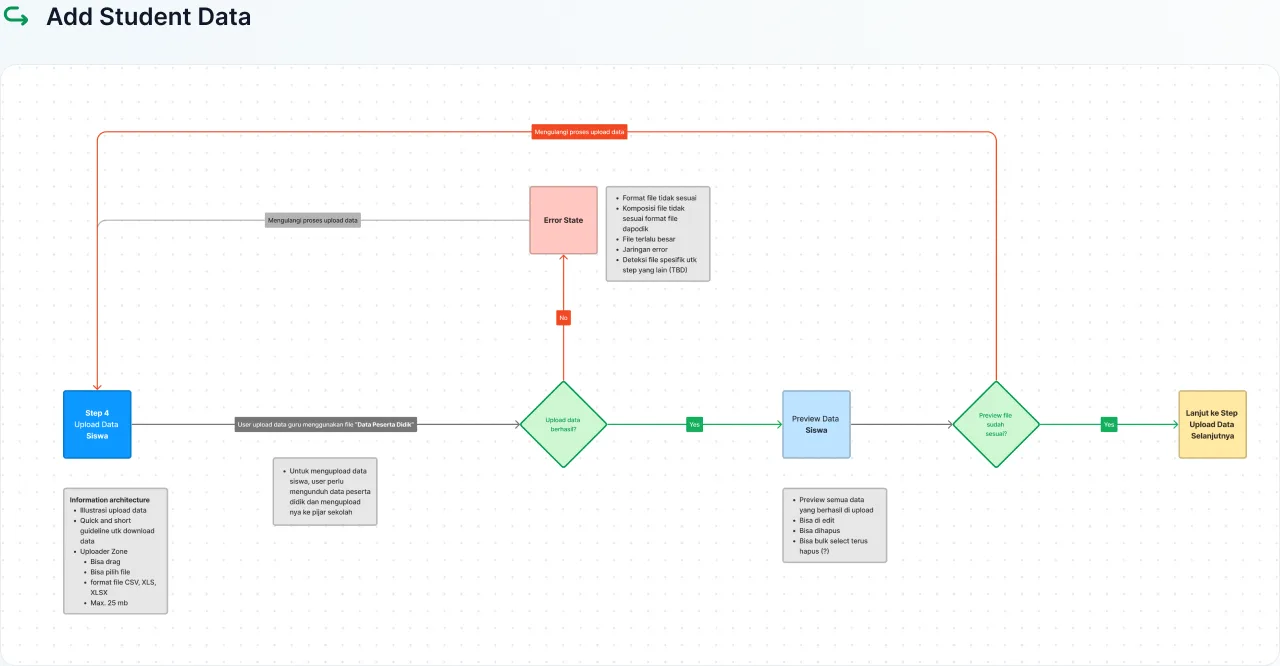
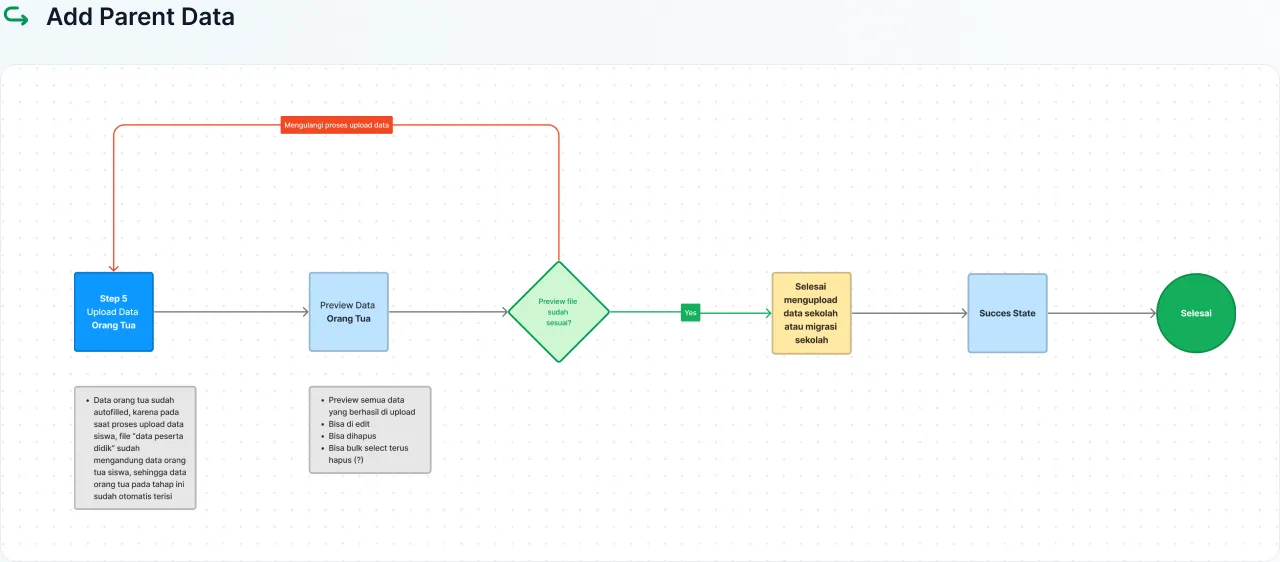
Userflows are visual representations of the steps taken by users to perform an action or achieve a goal in a product or service. Here are both general and specific Userflows of the onboarding wizard design.

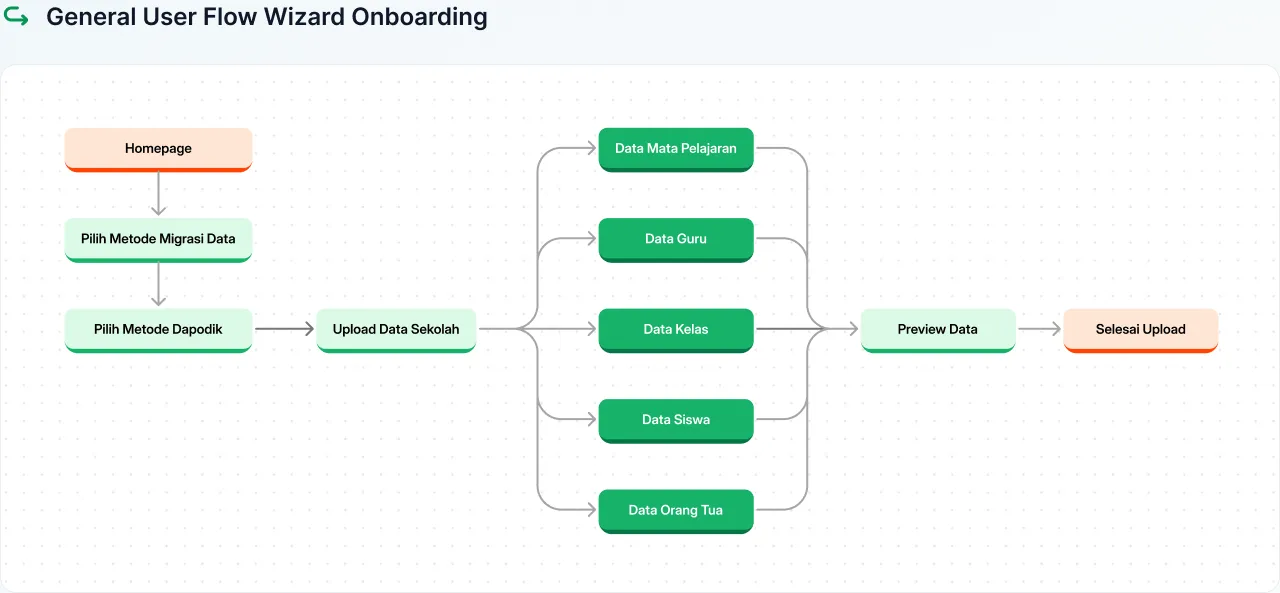
User Flow Breakdown
Breaking down user flows is the process of decomposing the sequence of steps taken by users in a product or service into more detailed parts.
Visual Design
Pijar Sekolah's visual design combines brand design elements and design system inspired by the Legion Design System. In brand design, this platform uses a bright color palette such as blue and orange to create an energetic and enjoyable atmosphere. The fonts used are designed to enhance readability and provide a modern impression. Meanwhile, the adopted design system ensures visual consistency across the platform by organizing layouts, components, and cohesive design patterns. This not only creates a pleasant user experience but also strengthens Pijar Sekolah's dynamic and friendly brand identity.
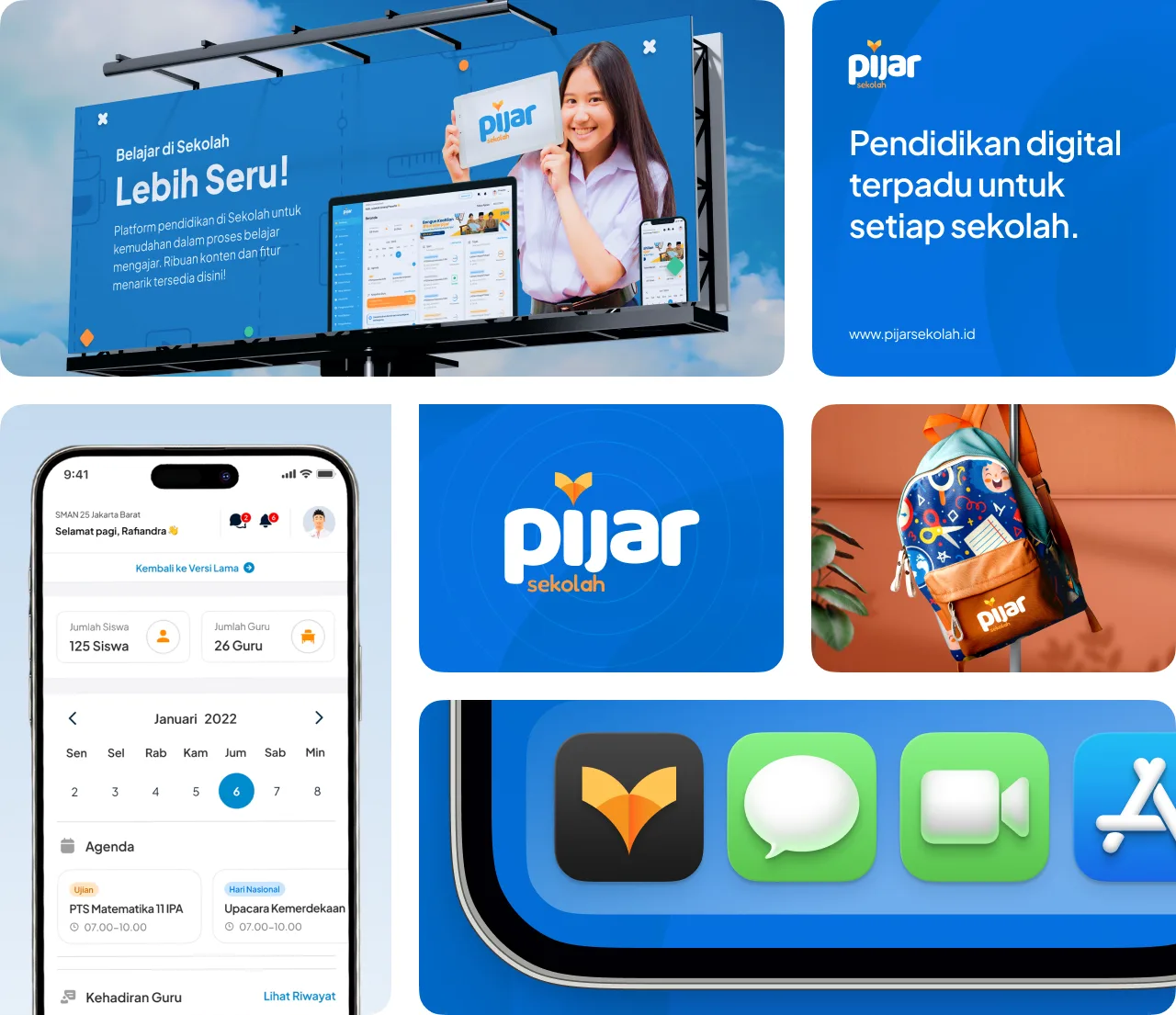
Pijar Sekolah Branding Guideline
Pijar Sekolah has branding guidelines that direct the UI design style of all designs at Pijar Sekolah. Pijar Sekolah's design style is fun, casual, and clean, aiming to give an impression of intellect, intelligence, and cheerfulness.
Design System & Styleguide
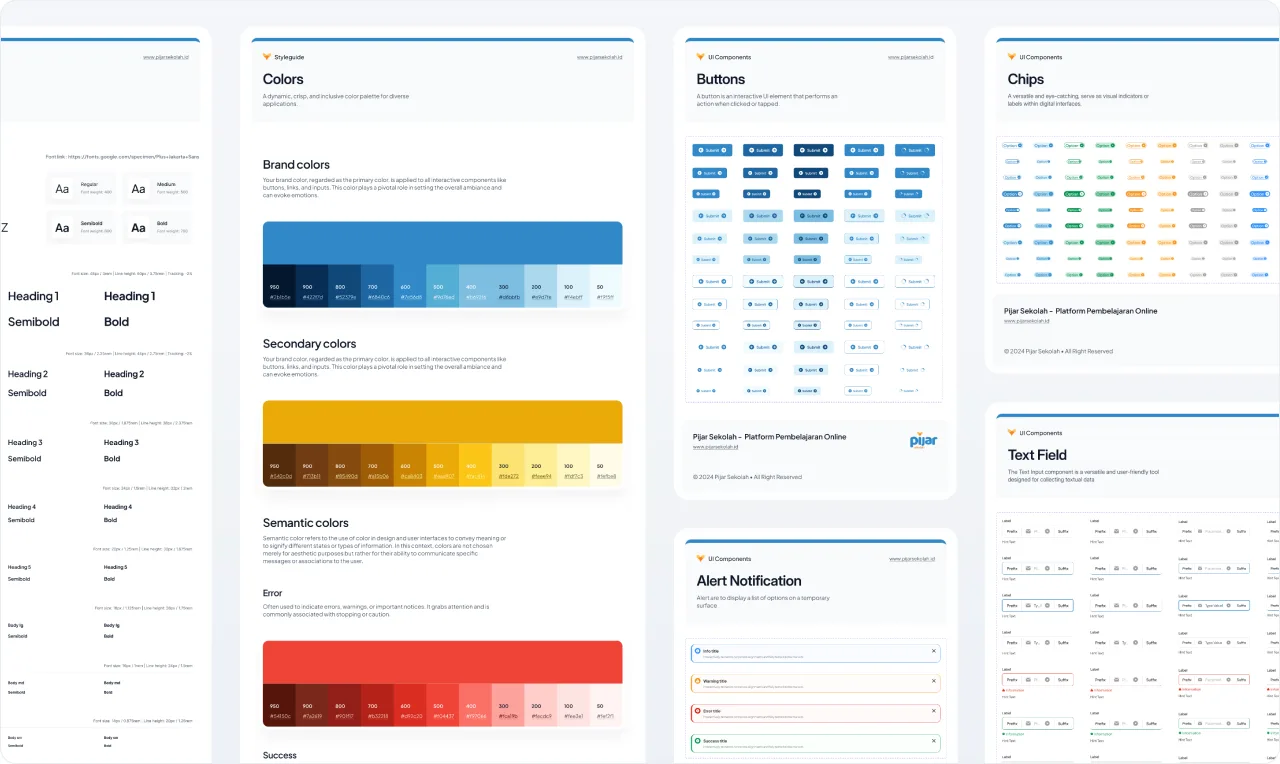
Pijar Sekolah uses the basic structure of the Legion Design System, a global design system developed by Telkom. Pijar Sekolah's User Interface Design (UID) team adjusts this Design System by modifying styles and visual identities according to the main characteristics of the Pijar Sekolah brand. These modifications are done carefully to ensure alignment with the needs and goals of this integrated digital learning platform.
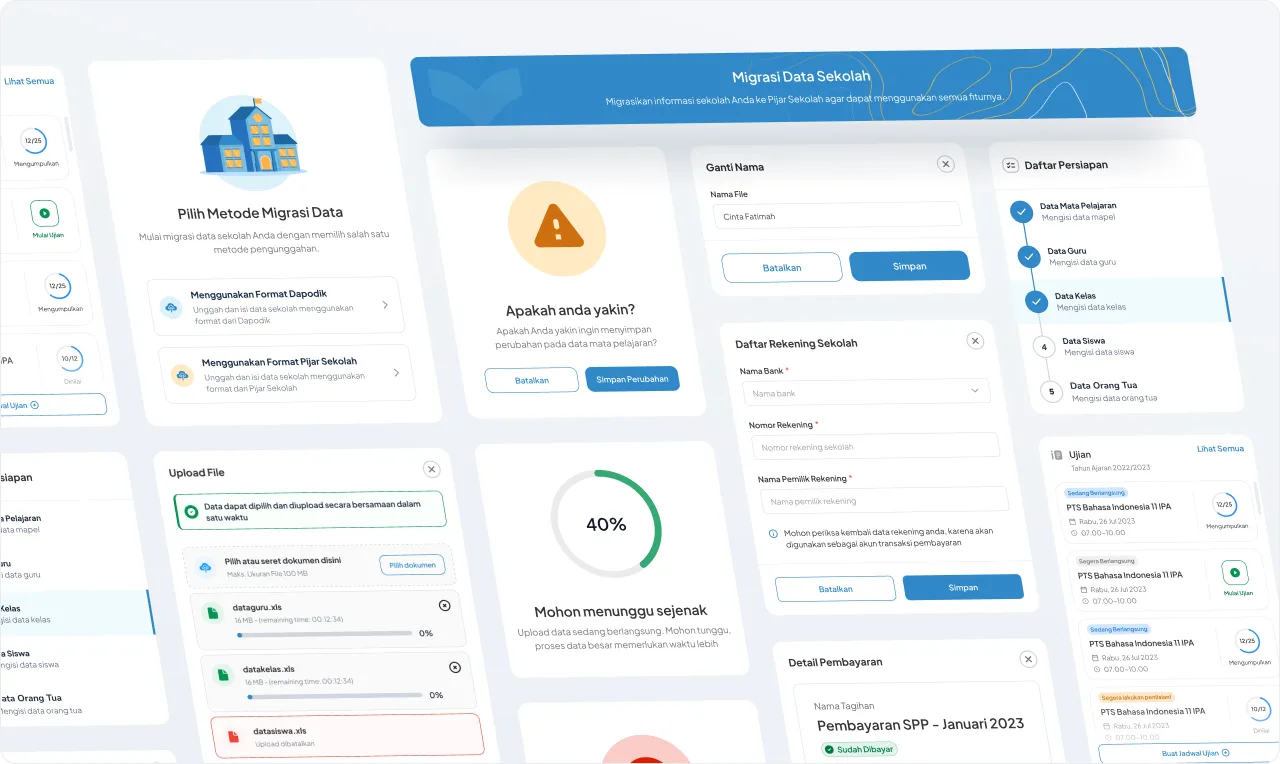
Local UI Components
Pijar Sekolah uses the basic structure of the Legion Design System, a global design system developed by Telkom. The User Interface Design (UID) Team at Pijar Sekolah adjusts this Design System by modifying styles and visual identities to align with the main characteristics of the Pijar Sekolah brand. These modifications are carefully made to ensure alignment with the needs and goals of this integrated digital learning platform.
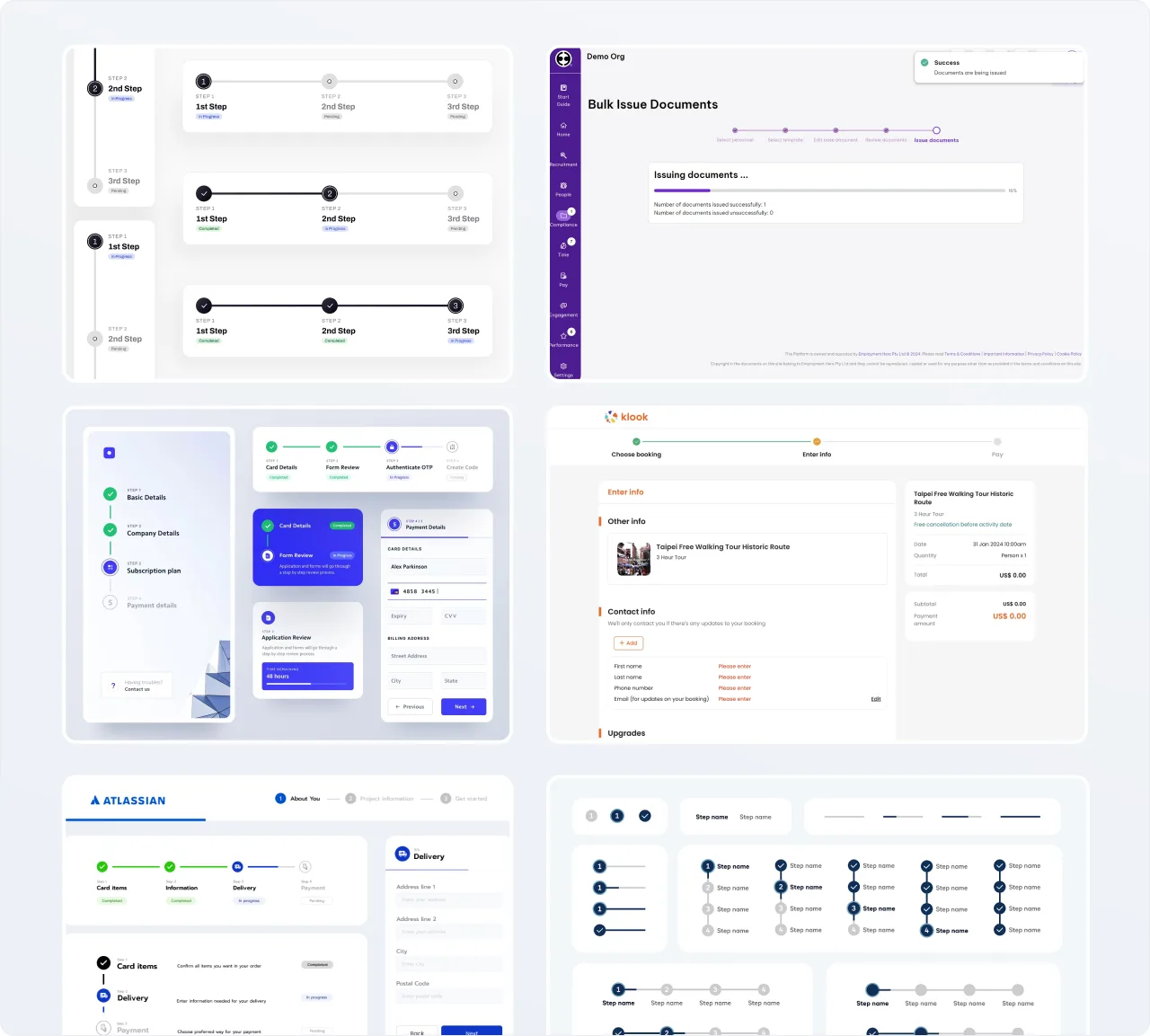
Moodboarding & Inspirations
In the UI component design process, I conduct moodboarding and benchmarking from various sources to obtain design styles and UI components that are suitable for showcasing progress or steps in a journey. Horizontal or vertical steppers are one of the suitable options to use in wizard onboarding design.
High Fidelity
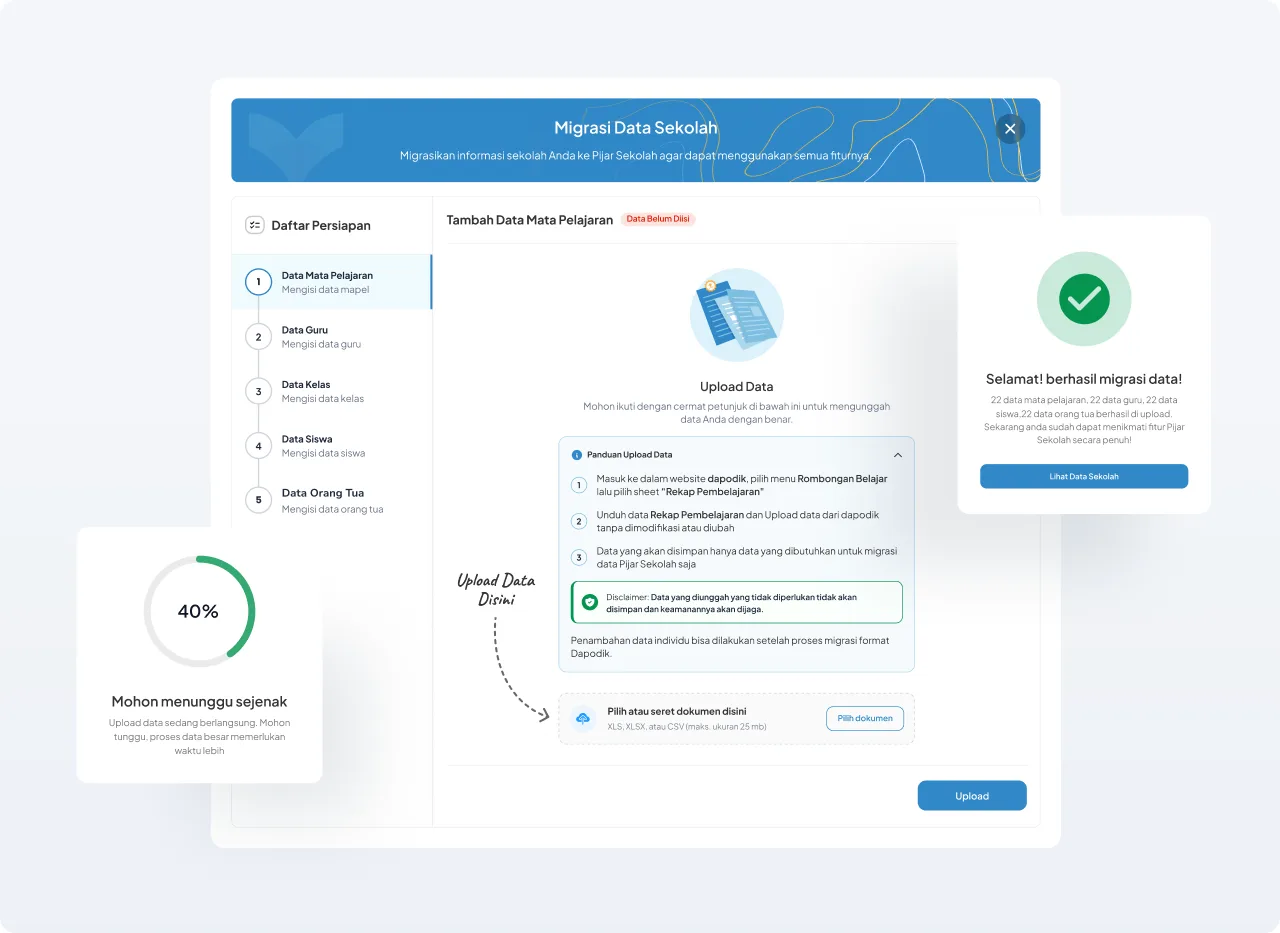
The high fidelity design process is a stage of design development involving the creation of highly detailed visual designs. It starts with defining design requirements, creating wireframes, and adding visual elements such as colors and fonts. After iterations and developing interactive prototypes, the design is refined and further perfected. The final stage involves creating the final design version that includes detailed design aspects like shadows, hover effects, and creating design specification documents for developer guidance. The high fidelity design is implemented into the product and undergoes final testing to ensure alignment with the design goals and desired user experience.
Concept Testing
The research team conducted a concept test using the initial design. Two design options were tested in this concept test, to determine which solution is more valid and suitable to continue in the high fidelity process.
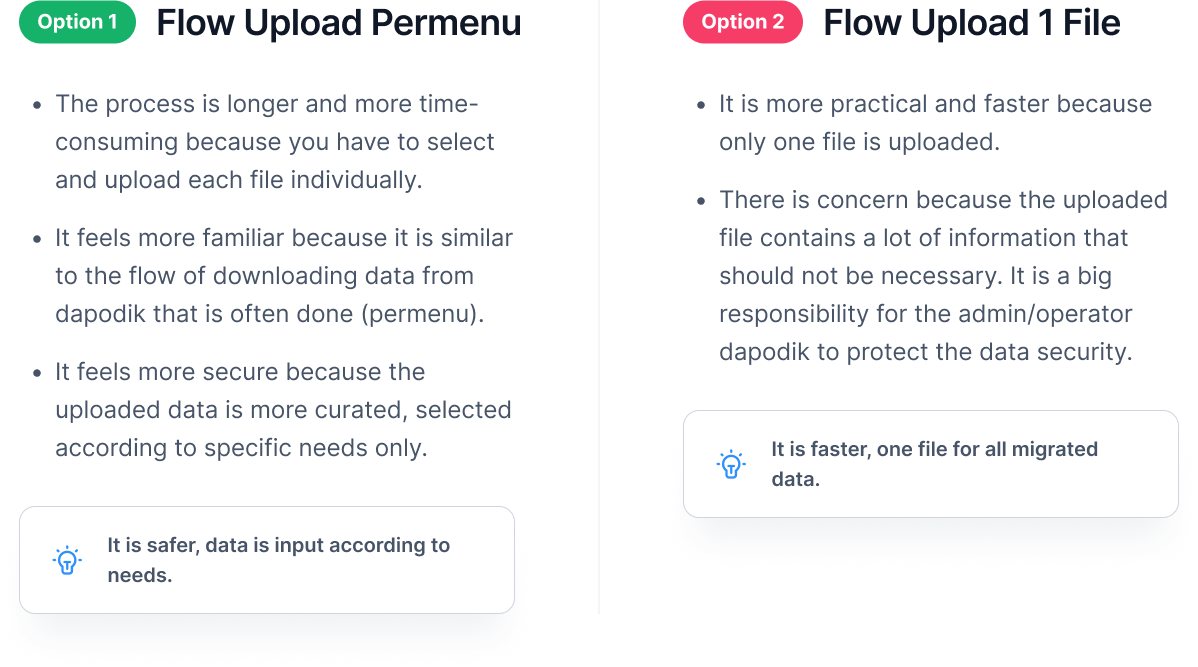
Which one is preferable?
Users prefer option 1
Why do respondents prefer uploading data per menu (option 1)?
- Familiarity: more familiar with the process of downloading data per menu in Dapodik, so the mindset for uploading is also more suitable for uploading data per menu. When related to the needs during data download, users require more specific data extraction. Users often perform data curation processes to obtain data that meets their needs, both for download and upload processes.
- Security over speed: anticipating the presence of confidential data that is not needed being uploaded, such as parents' income, parents' occupation, etc. The implication is that users feel more secure compared to having to upload all data at once. There is concern about the misuse of sensitive data by third parties or applications, and users were still questioning the legality of Pijar Sekolah as a third party, whether it has obtained approval from the Ministry of Education and Culture.
Initiating the data migration process
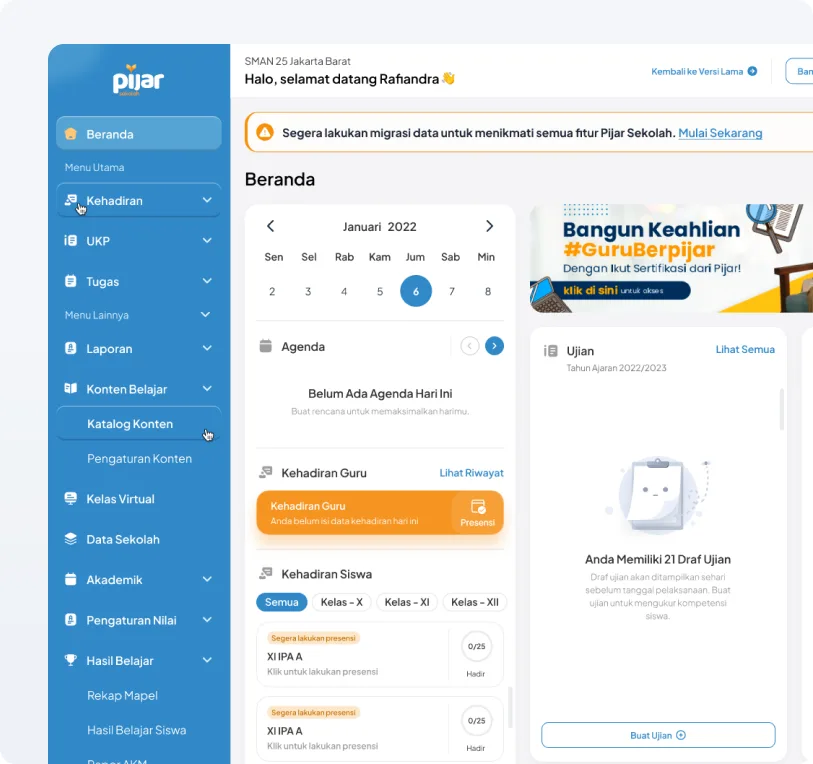
Select the “Get Started Now” Button
When logging in for the first time or not yet activating, there is an alert banner indicating that the school has not migrated data, and there is a “Get Started Now” button to start the data migration onboarding wizard process.
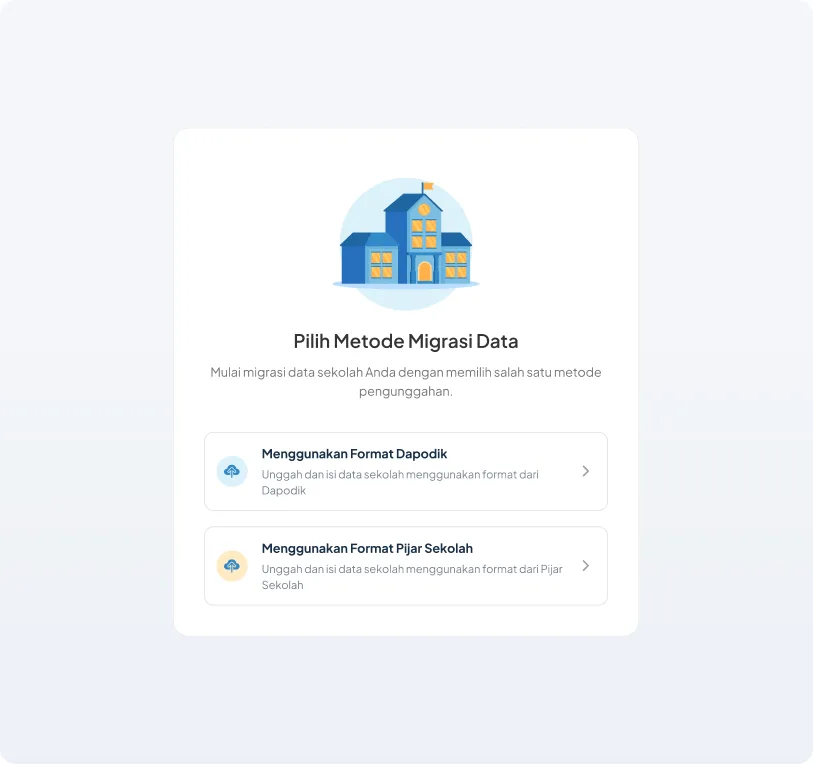
Select Data Migration Method
On this page, users will be given the option to migrate data using data from Dapodik or using an Excel format from Pijar Sekolah. In this scope, we will discuss data migration using Dapodik data.
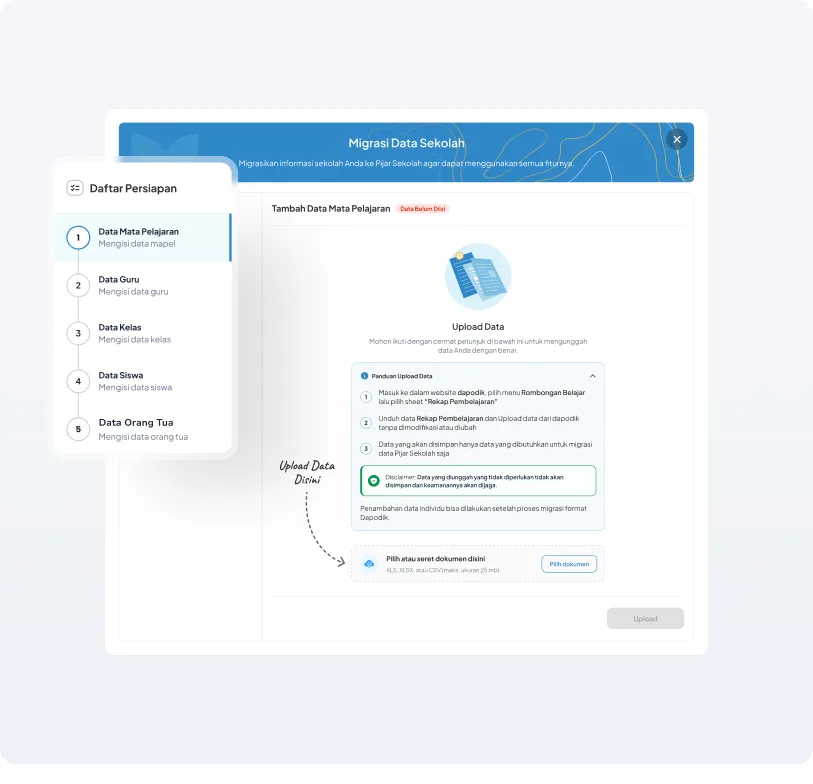
School Data Upload Modal
On this page, users will be guided on how to upload data using a file downloaded from their respective Dapodik website. Users are directed to upload Subject documents taken from the “Learning Recap” file.
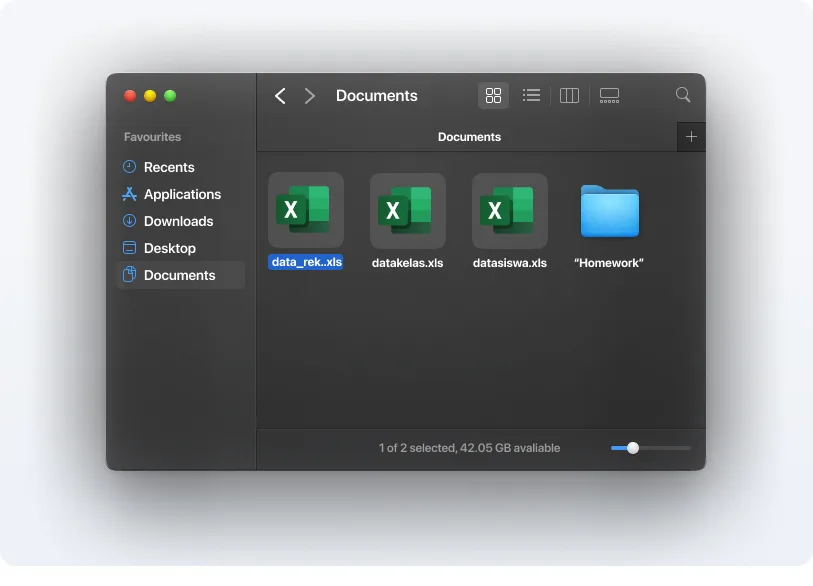
Select Document in File Browser
Users are directed to select a file downloaded from Dapodik according to the data upload step in progress.
Processing State of Data Upload
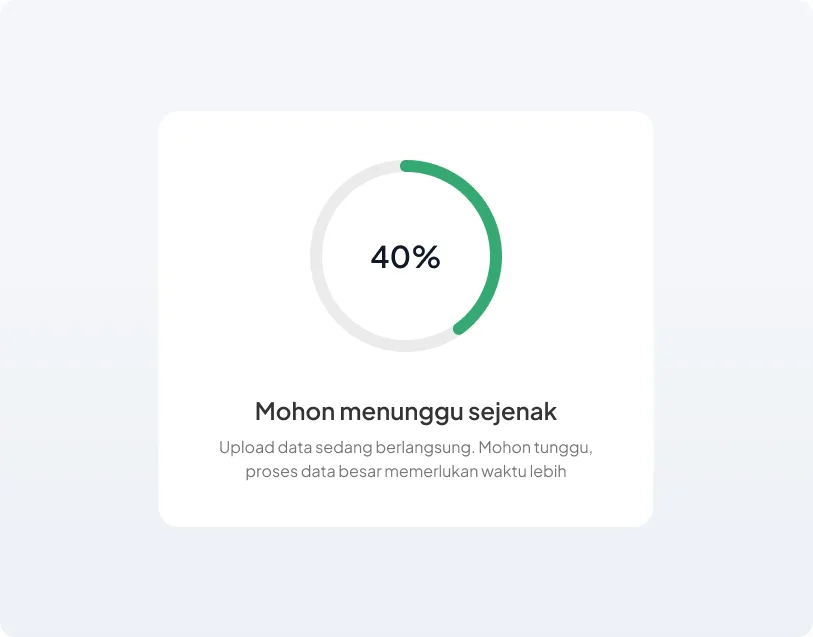
After selecting a file, users must then press the “Upload” button to start the data upload processing to Pijar Sekolah.
Preview Data
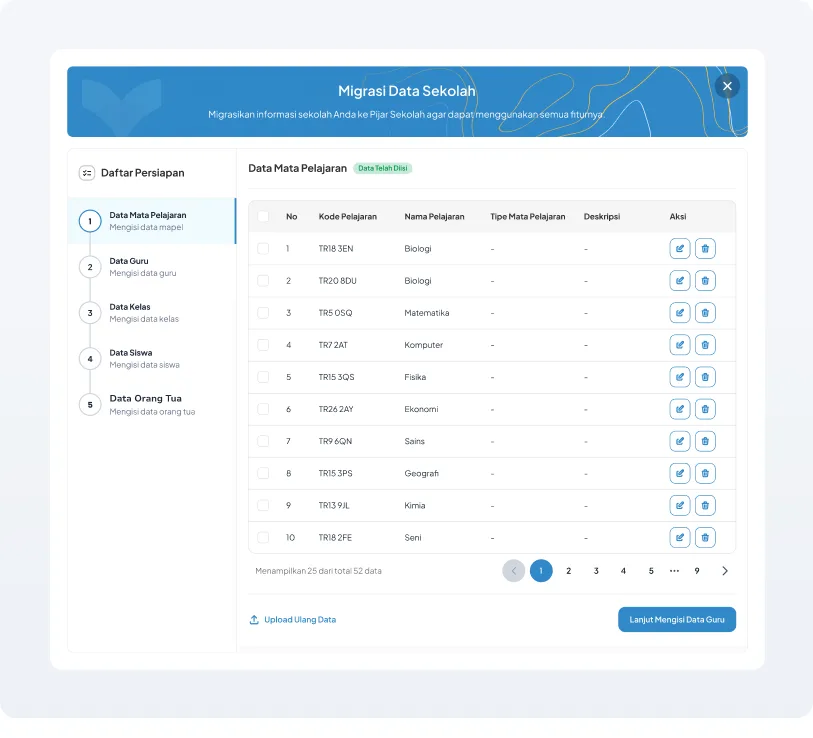
On this page, a preview of the data from the previous Dapodik data processing will be displayed. Here, the user will be given the option to edit and delete the necessary data individually. If the user feels that the data is correct, the user is directed to select the “Continue to Fill in Teacher Data” button.
Data Migration Successful Modal
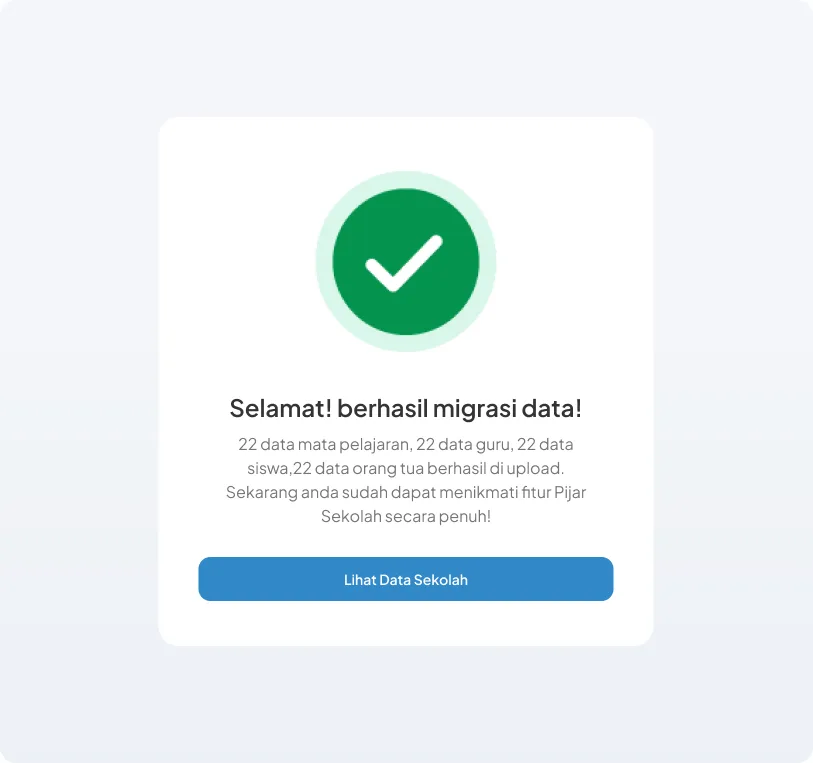
If the user has completed 5 steps of the school data migration process using Dapodik, on the last step, there will be a success modal indicating that the data migration process has been completed. Then the user can fully use all of Pijar Sekolah's features.
Edit Data
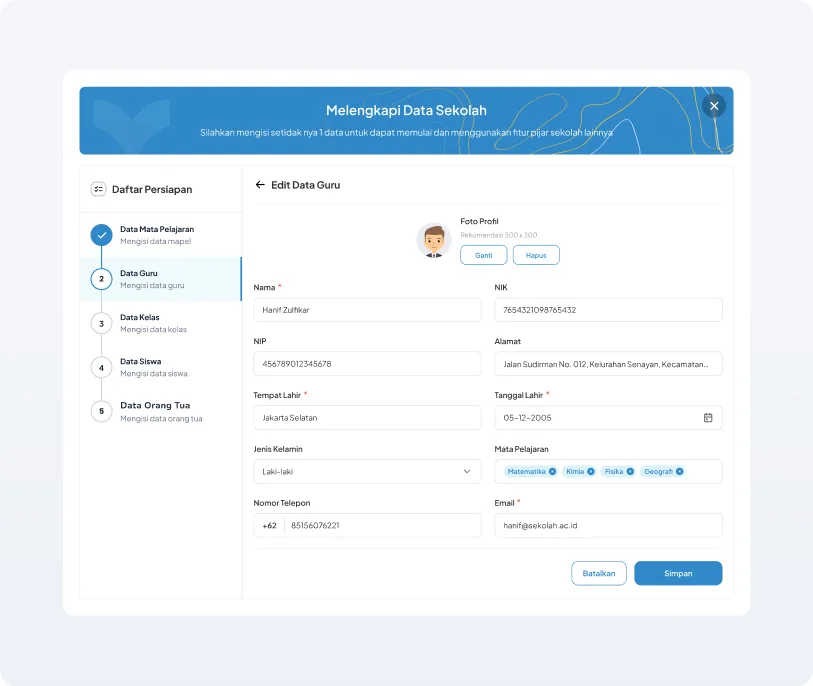
During the data migration process, users are provided with the option to edit each data individually before submitting it to Pijar Sekolah. This option allows users to ensure the accuracy and completeness of the data before it is finally submitted and integrated into the Pijar Sekolah system.
Edit Data Form
The edit data form will be available for all data in the 5-step data migration process, tailored to each data.
Delete Data
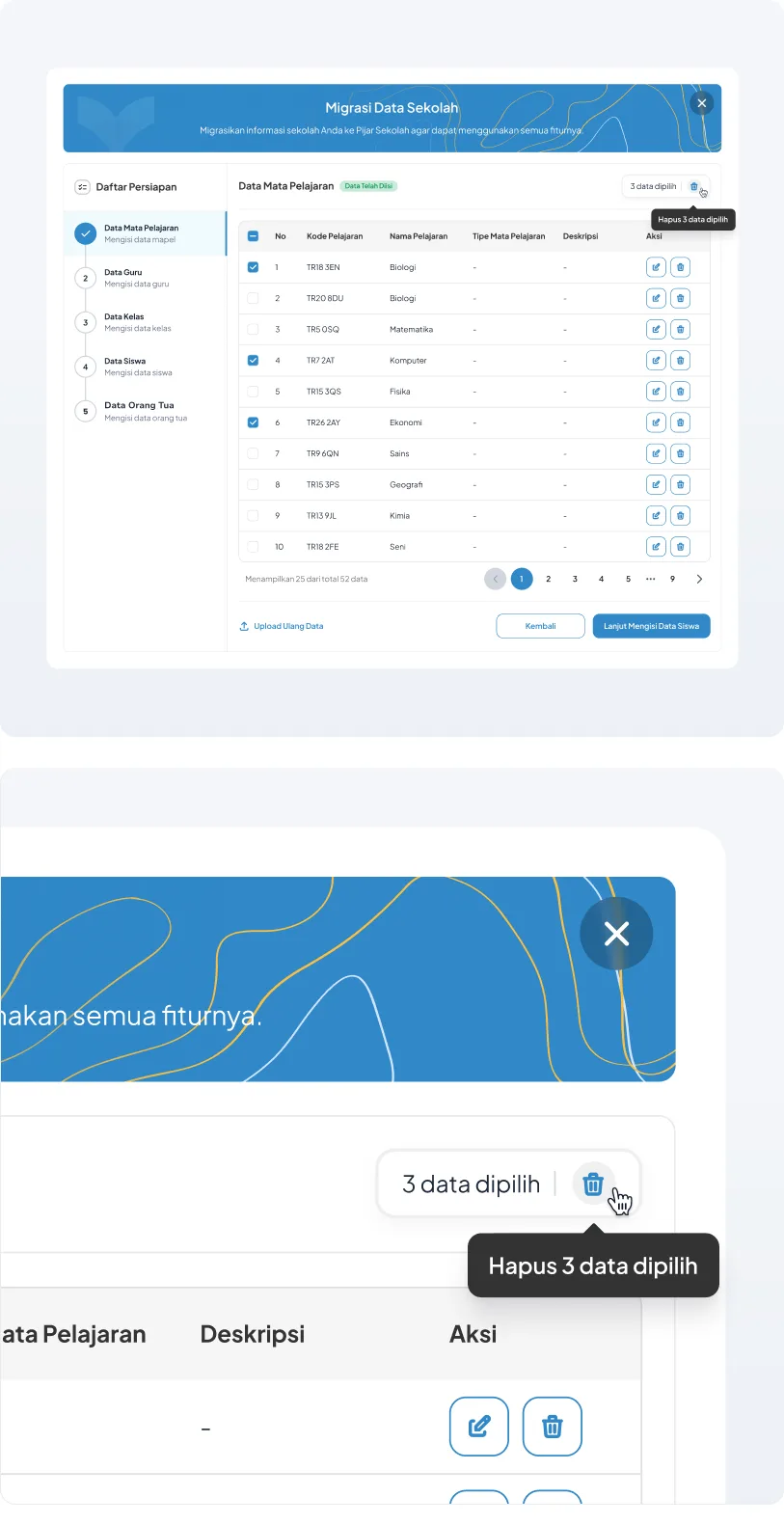
Additionally, users also have the option to delete unnecessary data during the data migration process, either individually or in bulk. This provides users with the flexibility to clean up their data more easily and efficiently, according to their specific needs before transferring it to the Pijar Sekolah environment.
Checklist data to be deleted
There is a checkbox on the left side of the data row, which can be selected to choose data to be deleted either individually or in bulk.
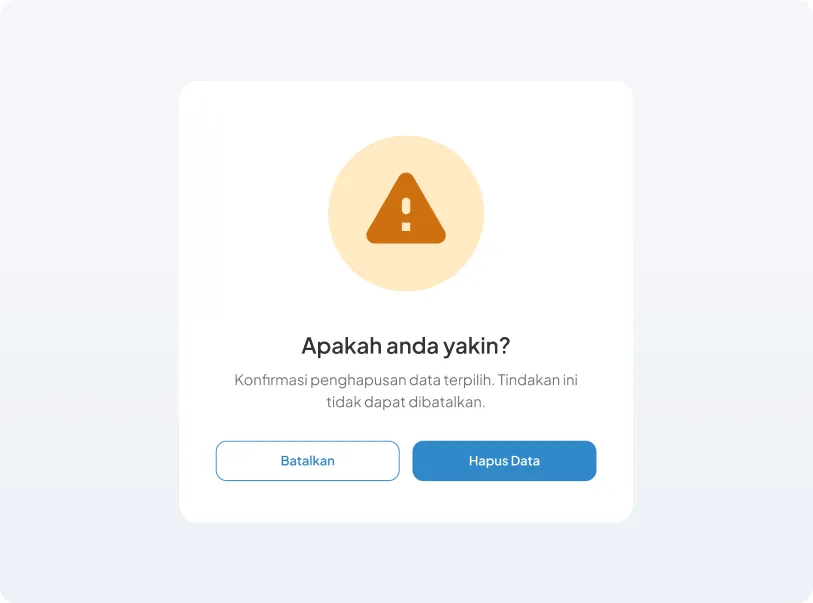
Delete Data Confirmation Modal
When pressing the “Delete” button, a delete data confirmation modal will appear. If the user presses cancel, the data deletion process will be canceled. If the user presses the delete data button, the data will be immediately deleted and cannot be recovered.
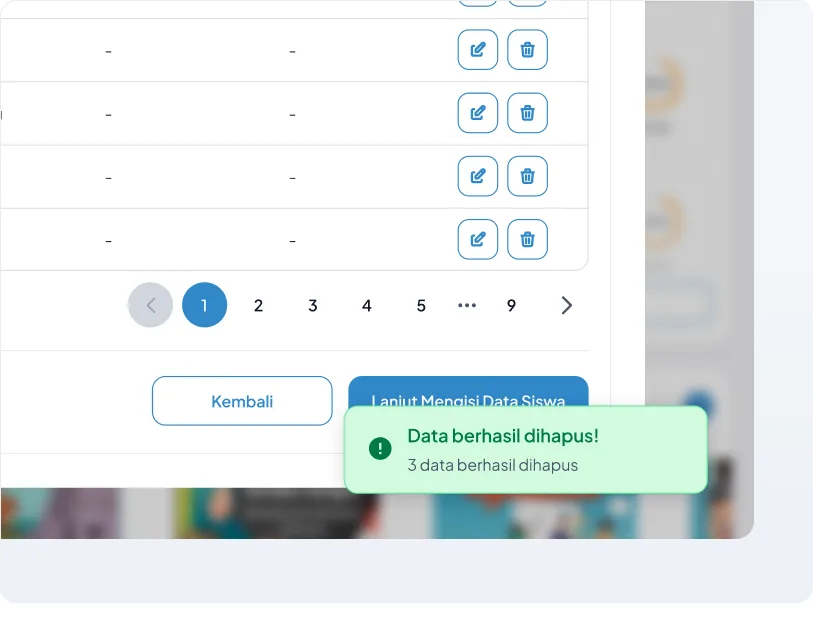
Successfully deleted data!
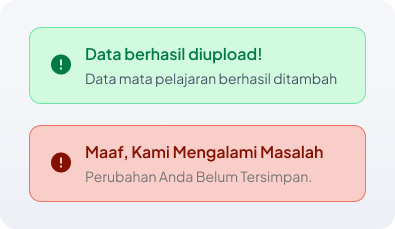
A success modal will appear if the user successfully deletes data, and conversely, an error snackbar will appear when there is a failure in deleting data.
Final Solutions
The Design Team has designed an easy-to-use school data migration flow guide in the form of a wizard. This wizard will clearly guide users step by step to migrate their school data to Pijar Sekolah, whether using downloaded data or data from Dapodik.
Benefits of the Data Migration Wizard
- Easy and practical: users no longer need to be confused about how to start migrating data. The wizard will guide them step by step with simple and easy-to-understand explanations.
- On target: the wizard is designed to take users directly to the right point to upload their school data to Pijar Sekolah.
- Time-saving: the data migration process becomes faster and more efficient because users do not need to search for the necessary information and menus.
Data Migration Wizard
- Support data migration from downloaded files or Dapodik data.
- Guide users step by step in the data migration process.
- Provide clear explanations at each step.
- Direct users to the exact point to upload data.
The data migration wizard from the Design Team will simplify and speed up the process of migrating school data to Pijar Sekolah. Users can migrate data independently and without confusion.
Mockup Previews
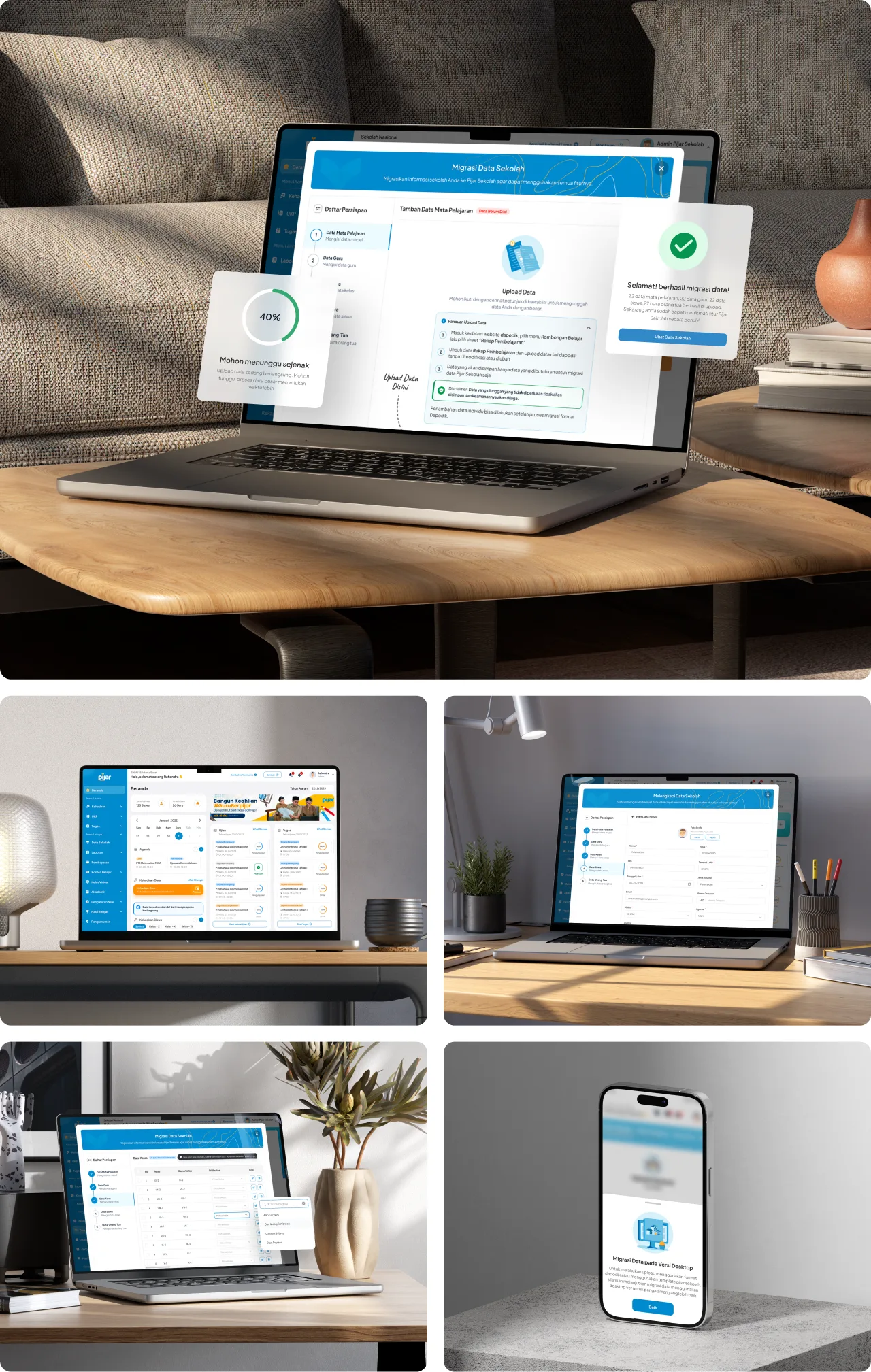
Here are some perspectives from the mockup design of the Onboarding Wizard, which shows a clean, relaxed design, yet still user-friendly for operators or school admins as the main users of this feature. The Onboarding Wizard feature is more effective and optimally used on desktop view. Therefore, on mobile or responsive views, I have blocked the migration display from being shown.
Impact & Results!
After going through the final design, implementation, and execution process by developers, the onboarding wizard module has finally been launched to production. The Data Migration Onboarding Wizard feature has successfully reduced the data migration process time from 2 weeks to just 1-2 days.
It is expected that from Q2-Q4 2024, the onboarding wizard feature will continue to improve the activation process, making it more efficient and effective, and facilitating the ops team in conducting BIMTEK.
The onboarding wizard feature is the right solution to assist schools in migrating data to Pijar Sekolah. This feature is user-friendly and can help schools save time and energy. The ops team can also benefit from this feature. It can help them work more efficiently and effectively. Therefore, the onboarding wizard feature is a beneficial solution for all parties.
- Streamlining the data migration process.
- Increasing the number of activations and usage of Pijar Sekolah.
- The increasing number of schools conducting data migration.
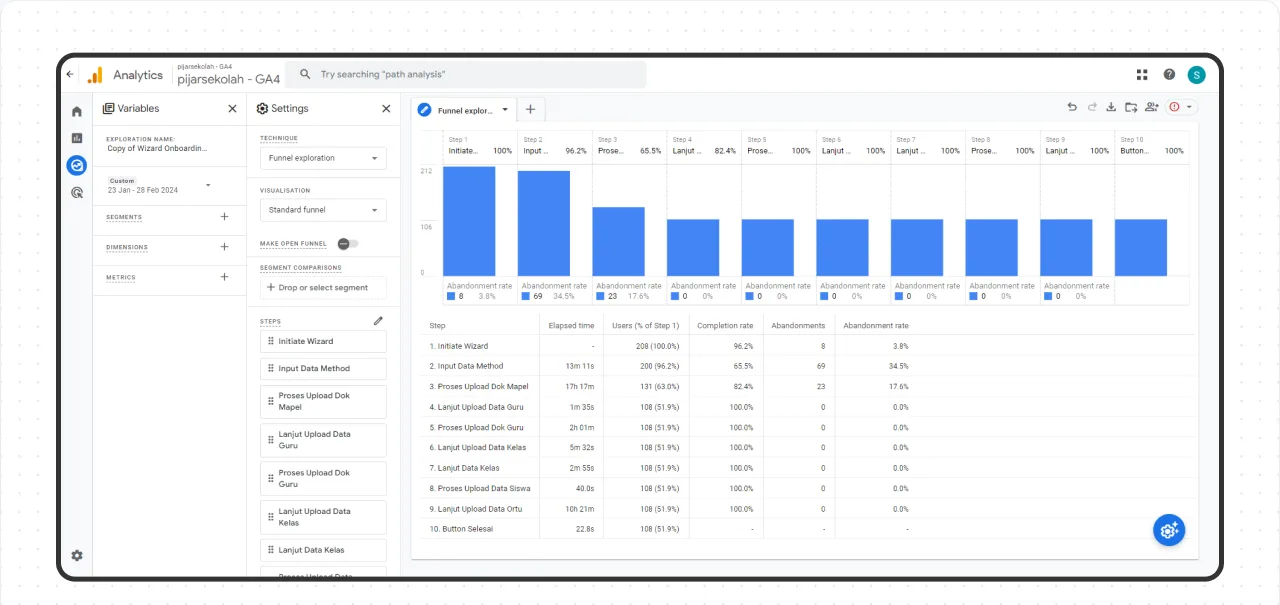
From the data obtained from Google Analytics, it can be observed that the Elapsed Time to complete each step or flow in the wizard onboarding feature is below 20 minutes. However, there are cases in a specific data upload step that takes up to 17 hours. This might be due to the need to manually collect or edit data by administrators or operators in each school.
- 89.29%
- Less time to migrate dataFrom 2 weeks to just 1-2 days. Data from Google Analytics and the Pijar Sekolah BIMTEK operational team.